
Blofin
Blofin is a centralized cryptocurrency exchange offering perpetual futures trading. It is one of Crodl's primary supported exchanges.
Creating API Keys
Step 1: Open API Keys in Blofin
From the Blofin homepage, open your profile menu and navigate to the API Keys section.
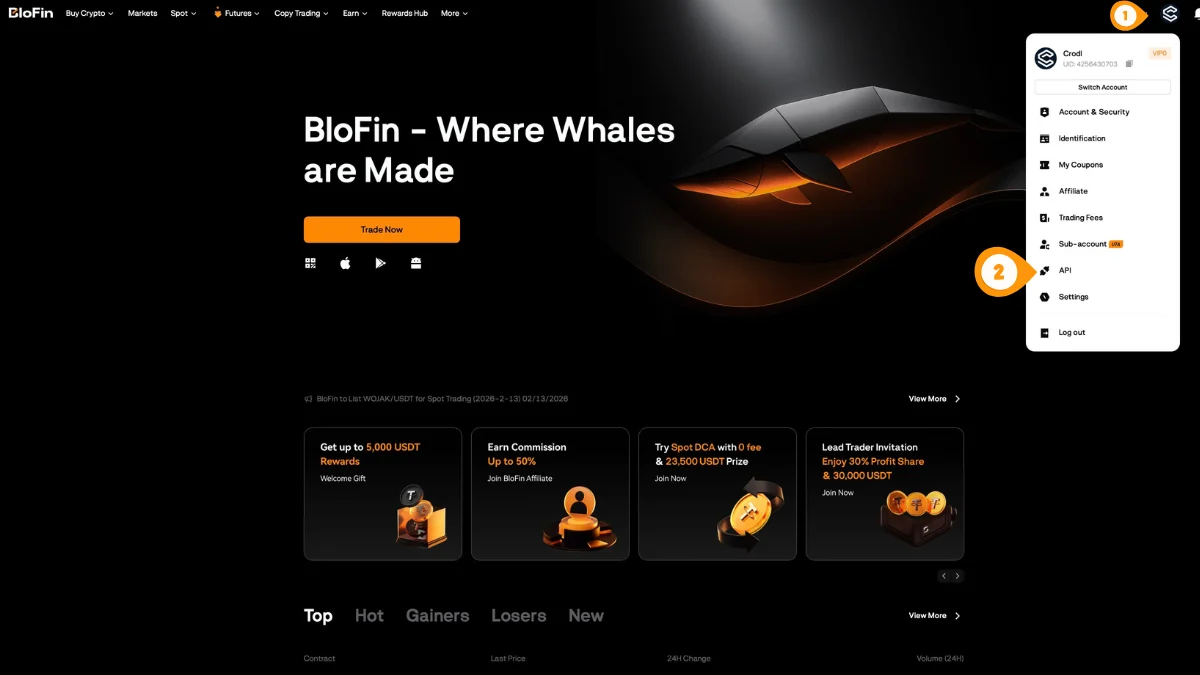
- Click your profile icon in the top-right
- Select "API" to open API Management
You can also go directly to blofin.com/account/api.
Step 2: Create a New API Key
On the API Management page, start creating a new key.
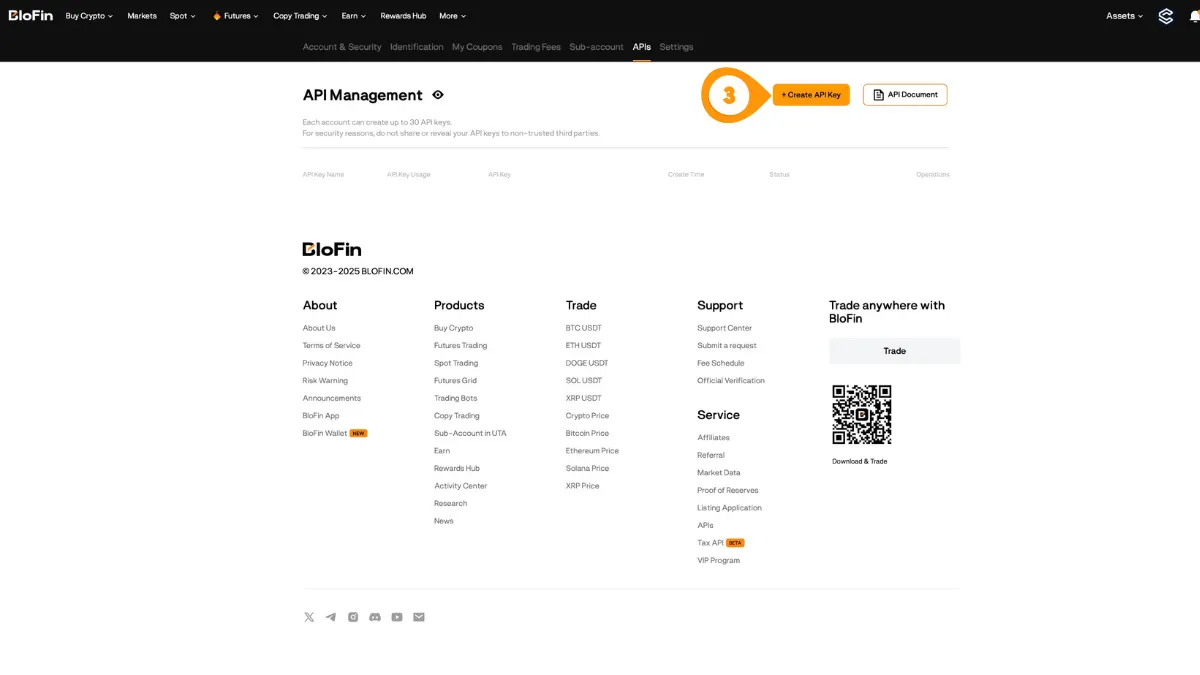
- Click "Create API Key"
Step 3: Fill In Key Details
Set up the key for a third-party app, choose a name, enable trading permissions, and set a passphrase.
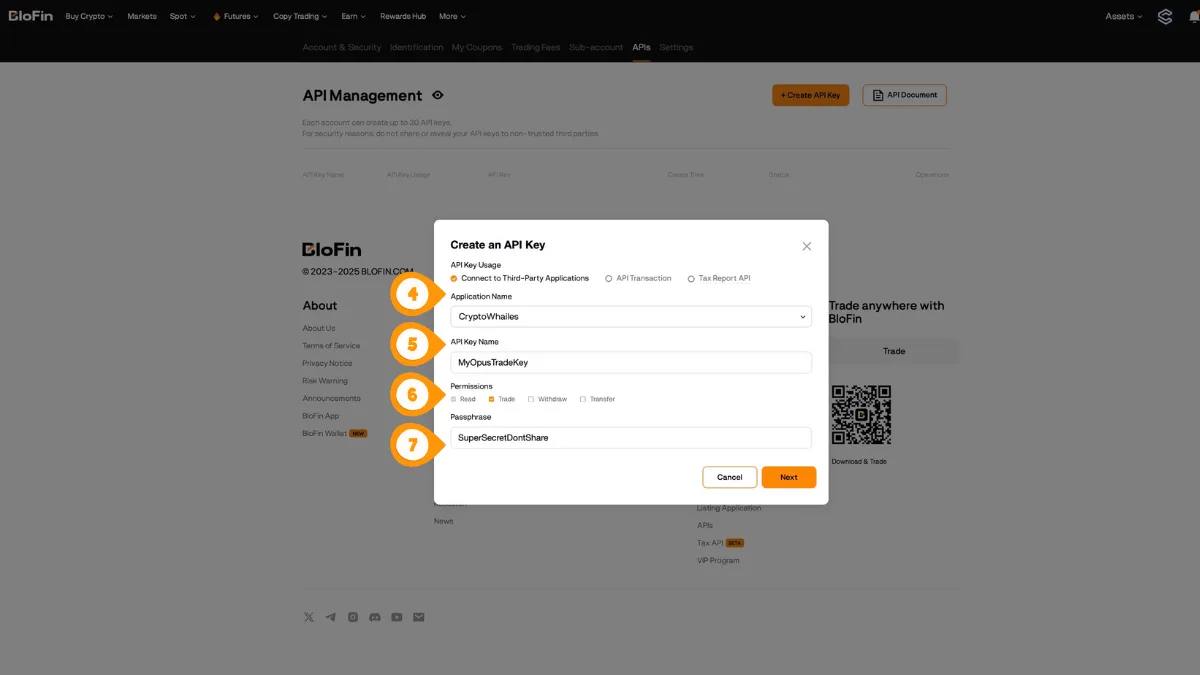
- Choose "Connect to Third-Party Applications"
- Set the Application Name (e.g. "Crodl")
- Set an API Key Name and enable Trade permissions only (do not enable Withdrawals)
- Create a Passphrase you will use again in Crodl, then click Next
Step 4: Copy Your Credentials
Copy and store your API Key and Secret Key securely. The secret is usually only shown once.
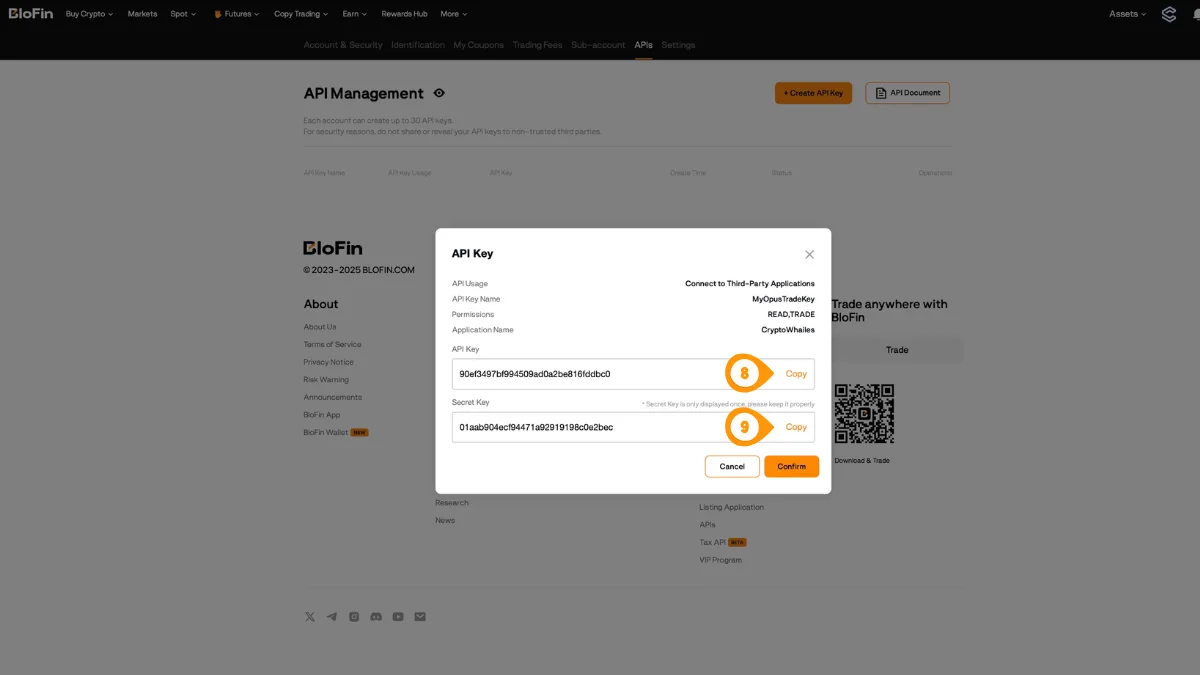
- Copy the API Key
- Copy the Secret Key
Blofin requires a passphrase in addition to the API key and secret. Save it securely — you won't be able to view it again after creation.
Step 5: Open Crodl Settings
Back in Crodl, open Settings so you can add your Blofin API key.
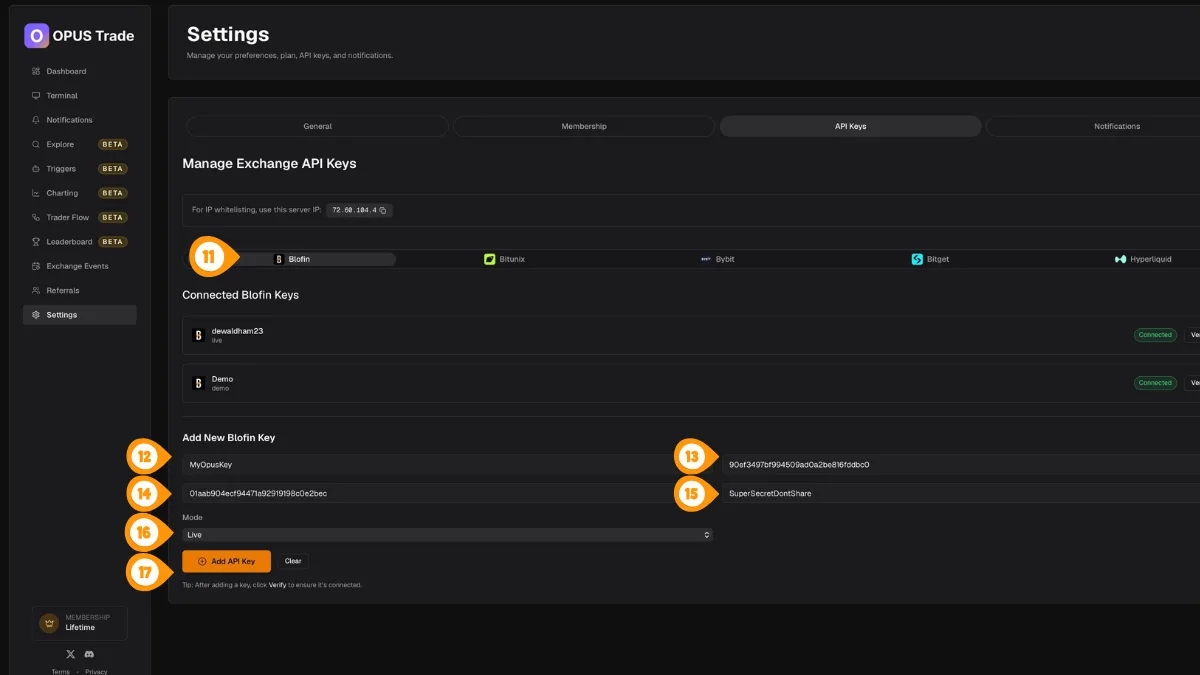
- Click "Settings" in the left sidebar
Step 6: Add Your Blofin Key to Crodl
In Settings → API Keys, select Blofin and paste your credentials. Use the server IP shown on this page if you enable IP whitelisting on Blofin.
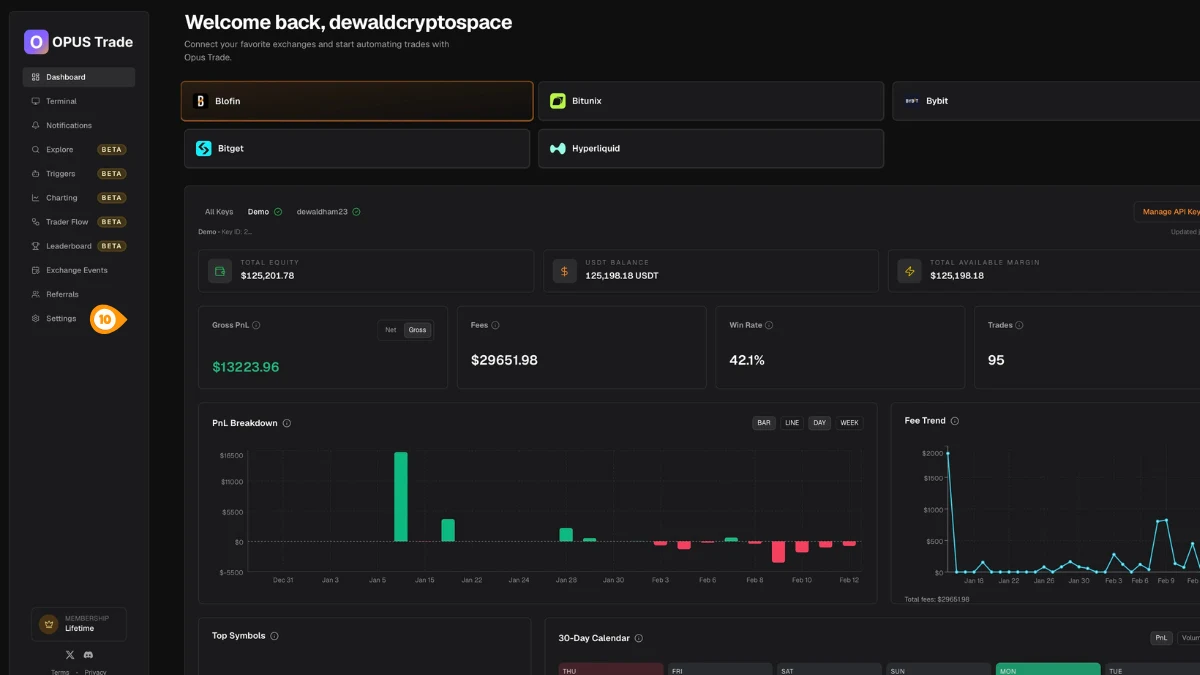
- Select the Blofin tab
- Enter a label for this key (e.g. "Main Account")
- Paste your Blofin API Key
- Paste your Blofin API Secret
- Paste your Blofin API Passphrase
- Choose the mode (Live or Demo) to match your Blofin key
- Click "Add API Key"
Step 7: Verify the Connection
Verify the key to confirm Crodl can connect and trade using your new API credentials.
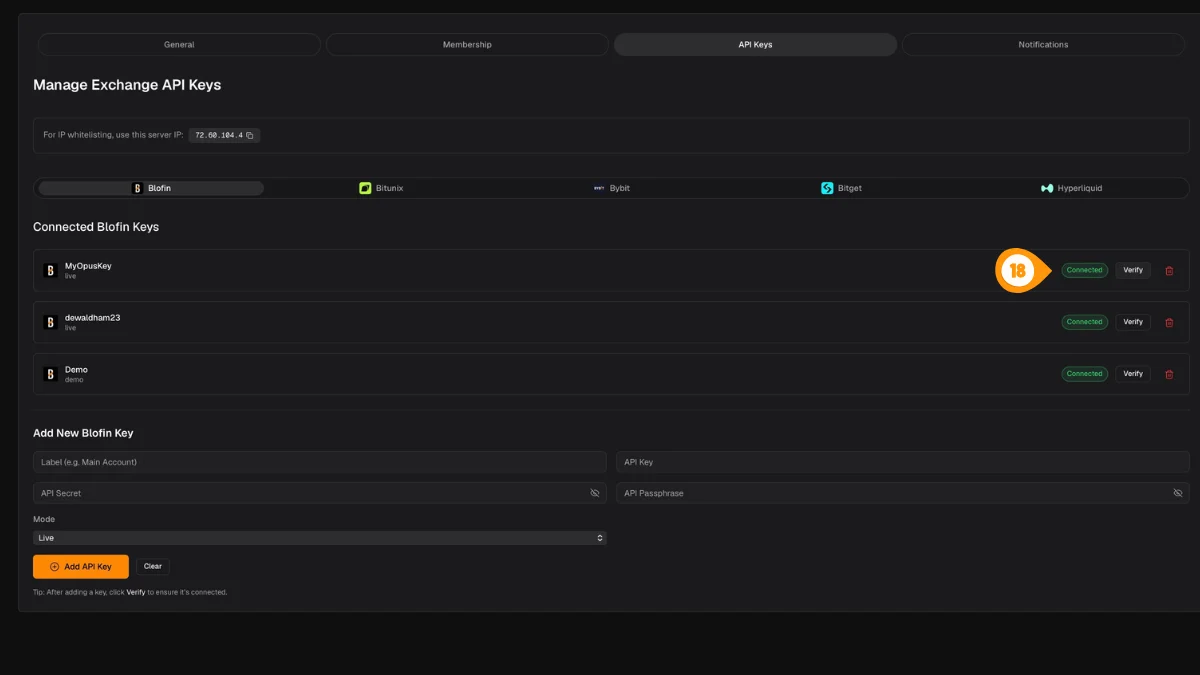
- Click "Verify" next to the key you just added
A green "Connected" badge confirms everything is working.
For extra security, add Crodl's server IP 187.127.209.38 to the IP whitelist when creating your key on Blofin.
Features
Contract Metadata
Blofin provides detailed instrument data including contract sizes, tick sizes, and margin requirements. Crodl uses this to display accurate position sizing and PnL calculations.
Order Types
- Market orders — Execute immediately at current price
- Limit orders — Execute at a specified price or better
- Trigger orders — Conditional orders based on price triggers
Position Modes
Blofin supports two position modes:
- Net mode — One position per symbol (one-way)
- Long/Short mode — Hold both long and short positions simultaneously (hedge)
Rate Limits
Blofin has standard API rate limits. Crodl automatically manages request frequency to stay within limits:
- Data refresh: every 30 seconds
- Automatic backoff on rate limit errors (429)
- In-flight request deduplication to minimize API calls
Troubleshooting
If you encounter issues with your Blofin connection:
- Verify your API key has read and trade permissions
- Check that the passphrase is entered correctly
- Ensure IP restrictions (if set) include Crodl's server IP
187.127.209.38 - See Common Issues for more help