
Bitunix
Bitunix is a centralized exchange specializing in cryptocurrency futures trading.
Creating API Keys
Step 1: Open API Management in Bitunix
From the Bitunix homepage, open your profile menu and navigate to the API section.
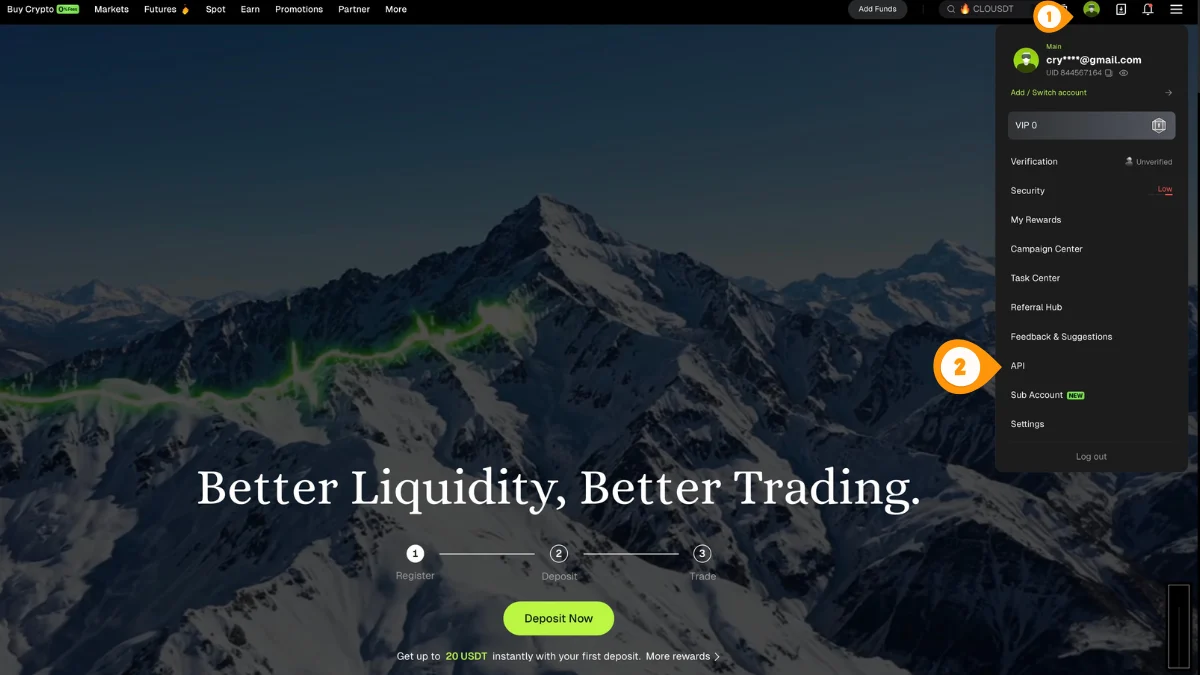
- Click your profile icon in the top-right
- Select "API" to open API Management
You can also go directly to bitunix.com/account/api.
Step 2: Create a New API Key
On the API Management page, start creating a new API key.
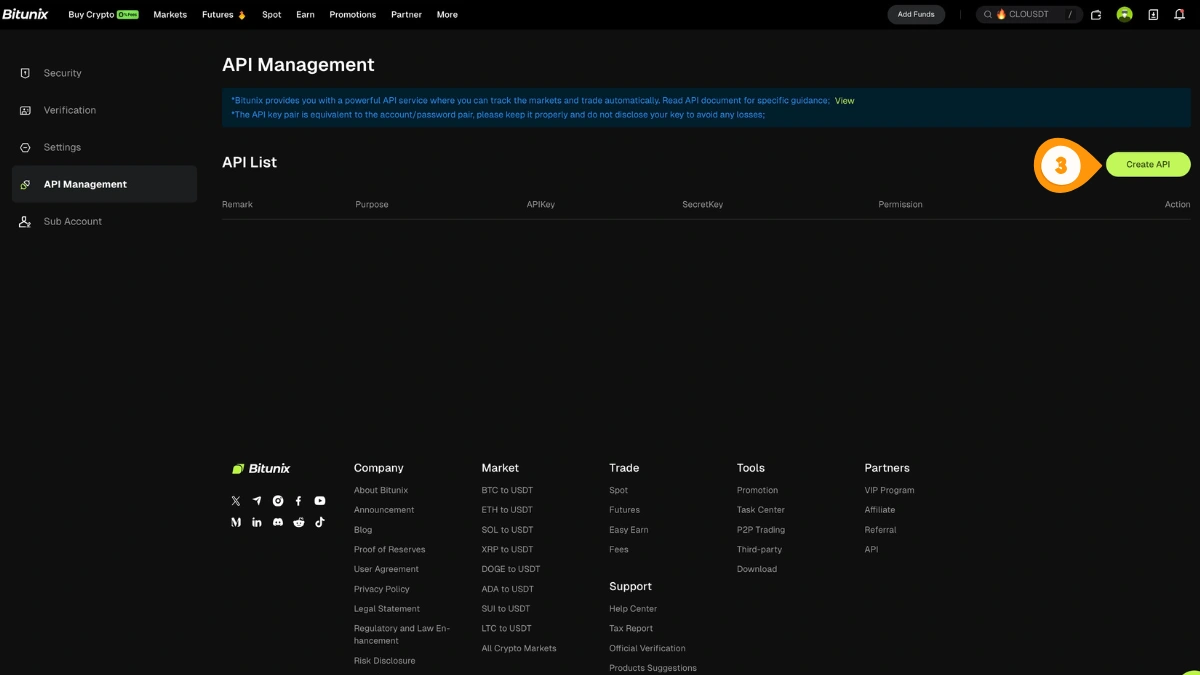
- Click "Create API"
Step 3: Fill In Key Details
Choose the correct purpose, set permissions, optionally bind the server IP, then complete verification.
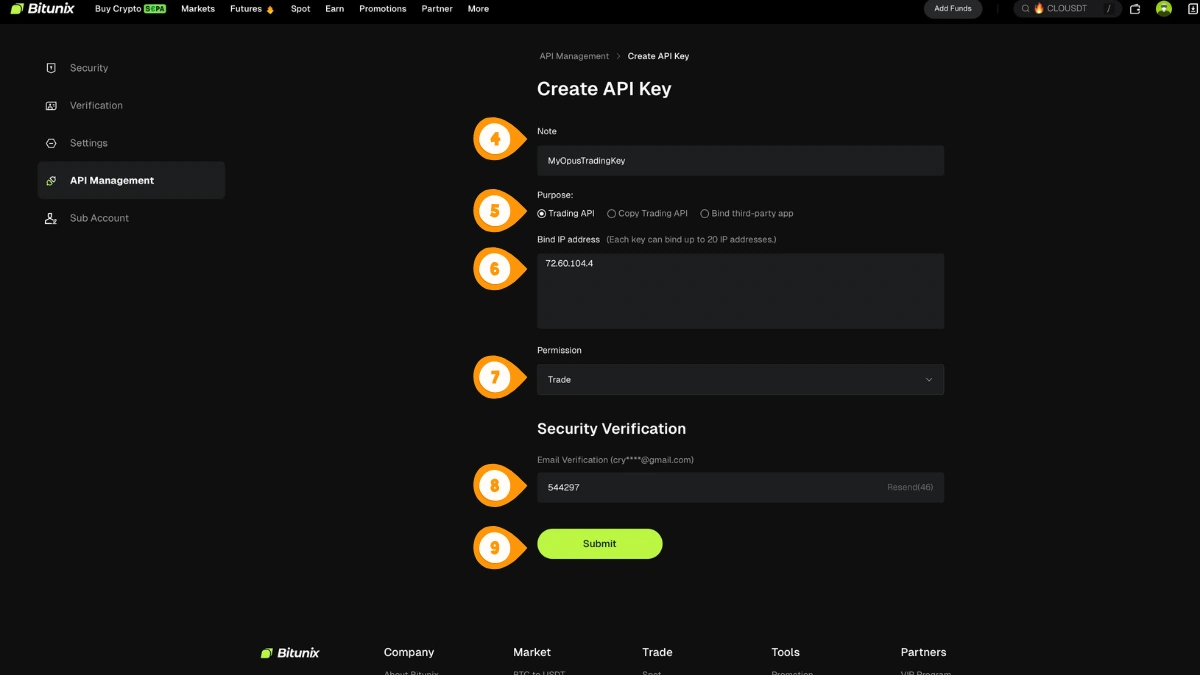
- Set a note/name for the key (e.g. "Crodl")
- Select "Trading API" as the purpose
- Optional: bind the Crodl server IP
187.127.209.38for extra security - Set Permission to "Trade" (do not enable withdrawals if offered)
- Enter the email/security verification code
- Click "Submit" to create the key
Step 4: Copy Your Credentials
Copy and store your API Key and Secret Key securely. The secret is usually only shown once.
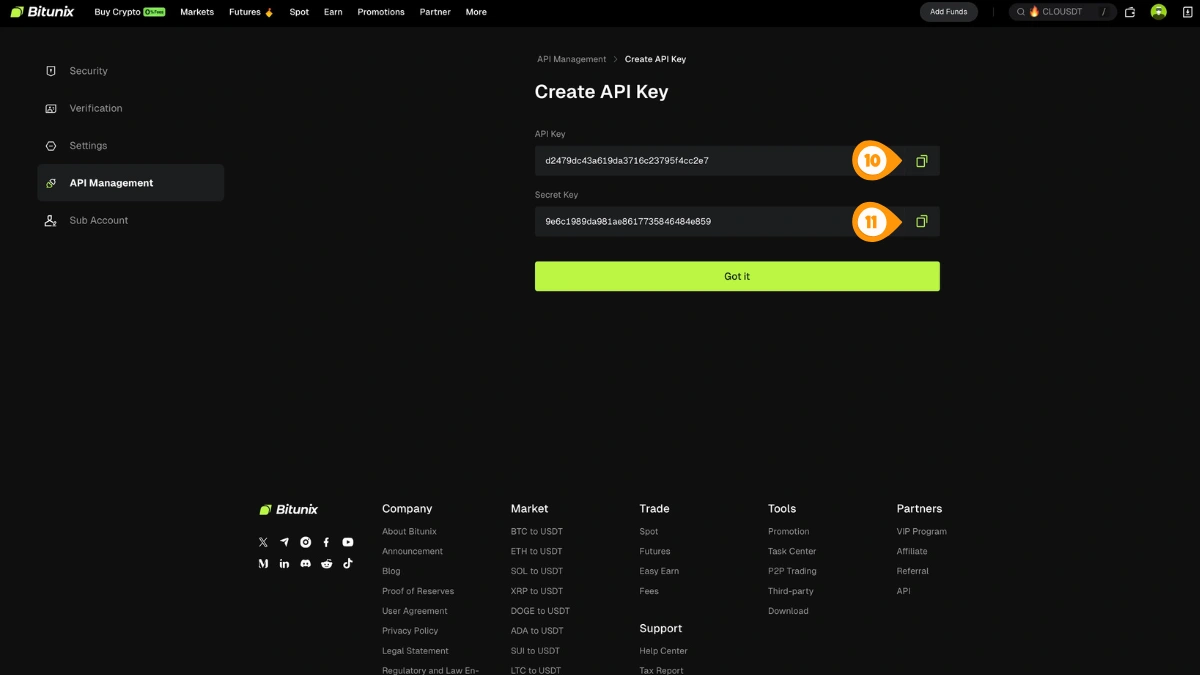
- Copy the API Key
- Copy the Secret Key
Bitunix does not require a passphrase — only an API key and secret are needed.
Step 5: Open Crodl Settings
In Crodl, open Settings so you can add your Bitunix API key.
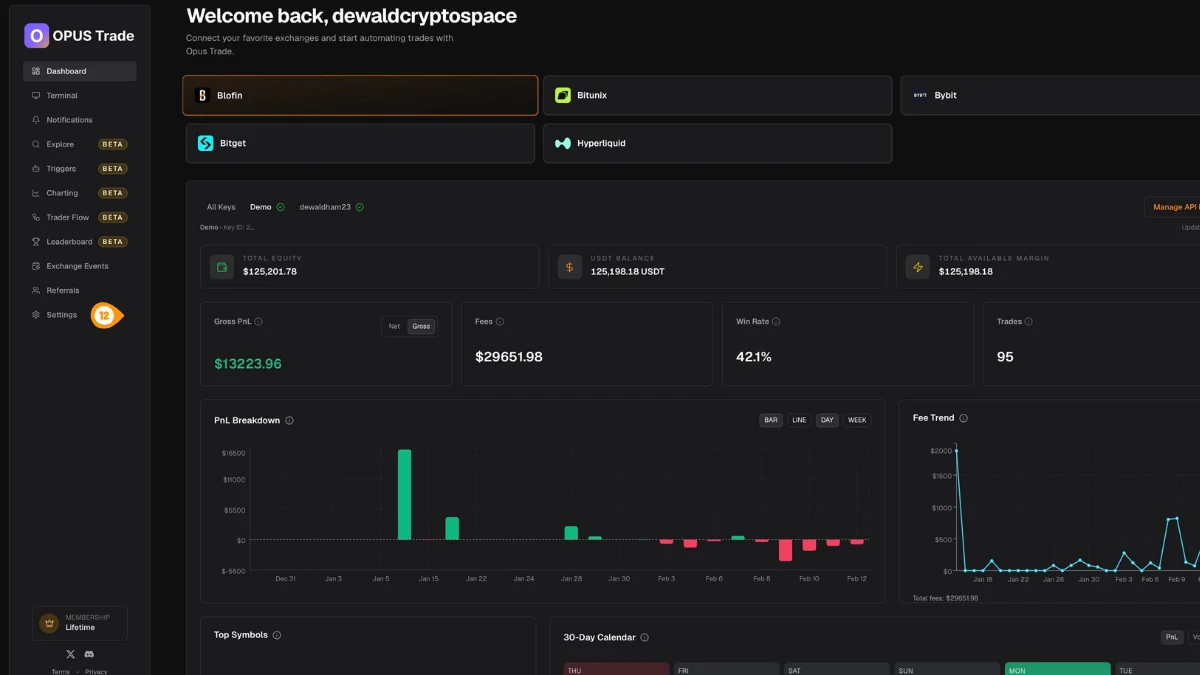
- Click "Settings" in the left sidebar
Step 6: Add Your Bitunix Key to Crodl
In Settings → API Keys, select Bitunix and paste your API Key and Secret.
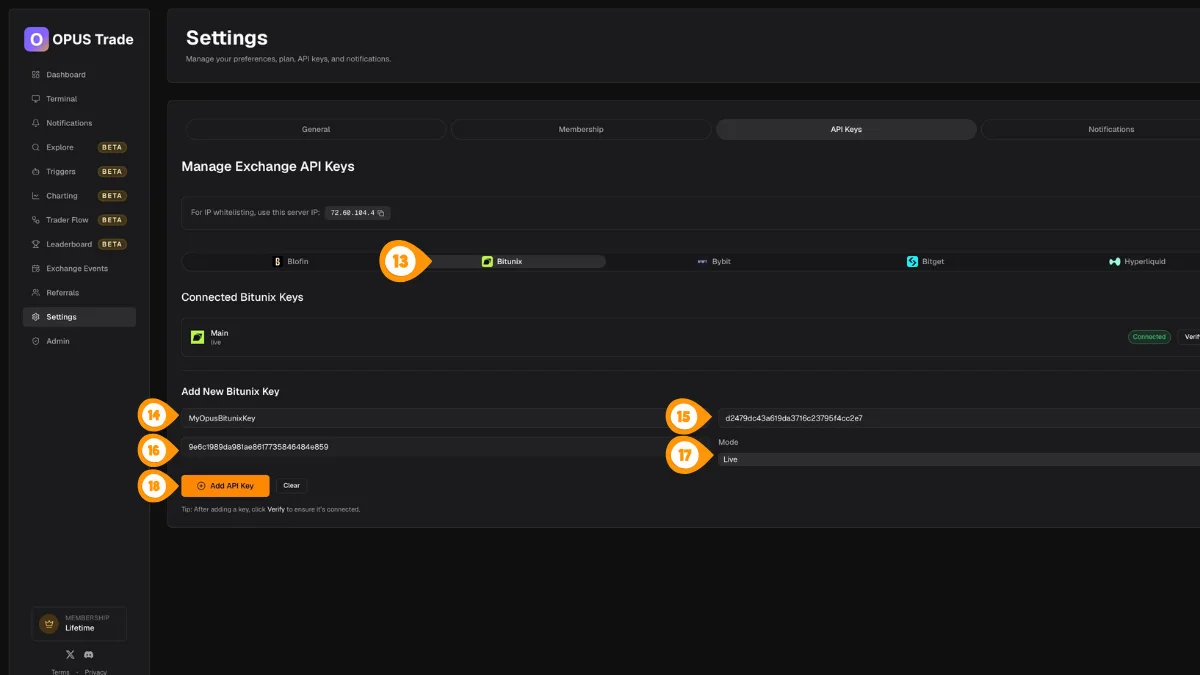
- Select the Bitunix tab
- Enter a label for this key (e.g. "Main Account")
- Paste your Bitunix API Key
- Paste your Bitunix API Secret
- Choose the mode (Live or Demo) to match your Bitunix key
- Click "Add API Key"
Step 7: Verify the Connection
Verify the key to confirm Crodl can connect and trade using your new API credentials.
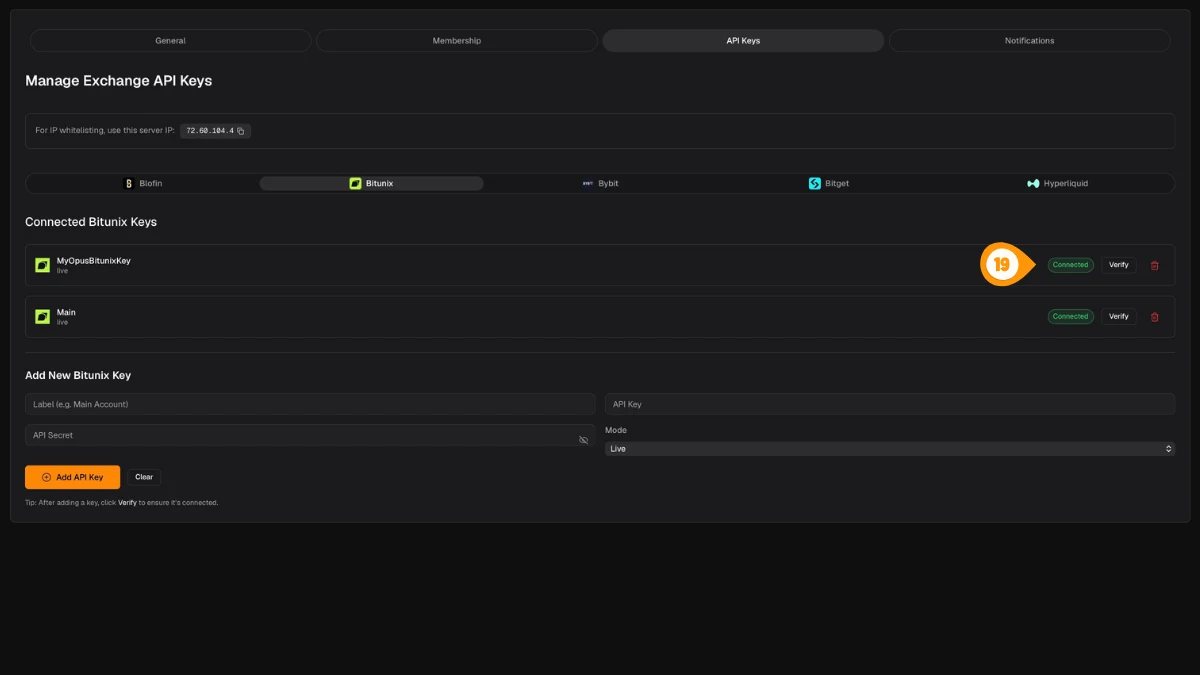
- Click "Verify" next to the key you just added
A green "Connected" badge confirms everything is working.
Features
Order Types
- Market orders — Immediate execution
- Limit orders — Price-specified execution
- Trigger orders — Conditional execution
Data Available
- Real-time positions and PnL
- Open orders and order history
- Account balance and margin
- Trade fills and history
Rate Limits
Crodl manages Bitunix API rate limits automatically:
- Data refresh: every 30 seconds
- Exponential backoff on errors
- Request deduplication
Troubleshooting
- Verify API permissions are set to Trade
- Check that your API key hasn't expired
- Ensure IP binding (if set) includes Crodl's server IP
187.127.209.38 - See API Errors for common error codes